Regex Tutorial: Learn Regular Expressions from Scratch
A beginner's regex tutorial covering literals, character classes, quantifiers, anchors, groups, and flags with examples in Python, JavaScript, and the command line.
- regex
- regular expressions
- tutorial
- python
- javascript
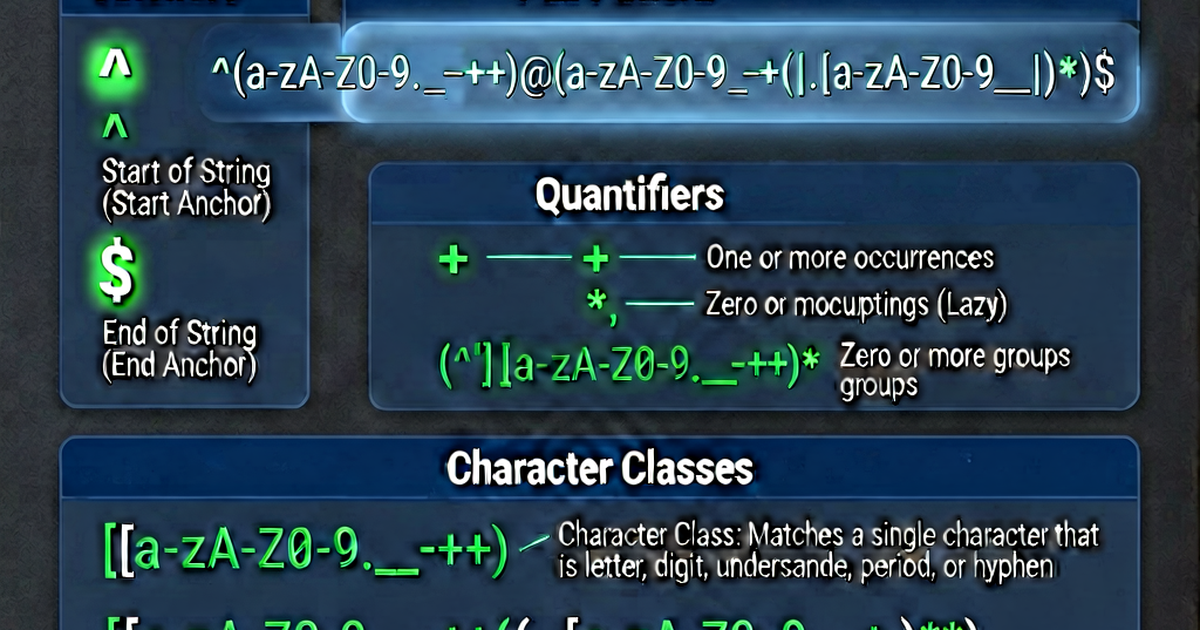

Regular expressions (regex) are patterns that match text. They’re supported in virtually every programming language and text editor, and mastering them makes you dramatically faster at text processing tasks.
Your first regex
A regex can be as simple as a literal string:
Pattern: hello
Matches: "say hello world" → "hello"
But regex becomes powerful when you use special characters. Let’s build up from basics.
Literal characters
Most characters match themselves:
Pattern: cat
Matches: "the cat sat" → "cat"
         "concatenate" → "cat" (within the word)
Character classes [...]
Match any one character from a set:
[abc]     → matches 'a', 'b', or 'c'
[a-z]     → matches any lowercase letter
[A-Z]     → matches any uppercase letter
[0-9]     → matches any digit
[a-zA-Z]  → matches any letter
[^abc]    → matches anything EXCEPT a, b, or c
Examples:
Pattern: [aeiou]
Matches 'a' in: "fast" → "a"
Matches each vowel in: "hello" → "e", "o"

Pattern: [a-z]+
Matches: "hello world" → "hello", "world"
Shorthand classes
\d    → any digit: [0-9]
\D    → any non-digit: [^0-9]
\w    → any word character: [a-zA-Z0-9_]
\W    → any non-word character
\s    → any whitespace: space, tab, newline
\S    → any non-whitespace
.     → any character except newline (with dotall flag: any character)
Quantifiers
How many times should the preceding pattern repeat?
*       → 0 or more
+       → 1 or more
?       → 0 or 1 (optional)
{n}     → exactly n times
{n,}    → n or more times
{n,m}   → between n and m times
Examples:
Pattern: \d+
Matches: "price: 42.99" → "42", "99"

Pattern: colou?r
Matches: "color" and "colour" (the 'u' is optional)

Pattern: \d{3}-\d{4}
Matches: "555-1234" (phone number segment)

Pattern: \d{1,3}\.\d{1,3}\.\d{1,3}\.\d{1,3}
Matches: "192.168.1.1" (IPv4 address approximation)
Anchors
Match positions, not characters:
^   → start of string (or line, in multiline mode)
$   → end of string (or line, in multiline mode)
\b  → word boundary (between \w and \W)
\B  → non-word boundary
Examples:
Pattern: ^hello
Matches "hello world" but NOT "say hello"

Pattern: world$
Matches "hello world" but NOT "worldwide"

Pattern: \bcat\b
Matches "the cat" but NOT "concatenate"
Alternation |
Match either of two patterns:
Pattern: cat|dog
Matches: "I have a cat" → "cat"
         "I have a dog" → "dog"
Groups (...)
Groups serve two purposes: grouping for quantifiers, and capturing for extraction.
Pattern: (ha)+
Matches: "hahaha" → "hahaha" (the whole match)
         Captured group 1: "ha" (last repetition)

Pattern: (cat|dog)s?
Matches: "cats", "cat", "dogs", "dog"
Non-capturing group (?:...) — groups without capturing:
Pattern: (?:ha)+
Groups without capturing overhead
Flags
Flags modify how the pattern behaves:
| Flag | Name | Effect |
|---|---|---|
i | Case-insensitive | [A-Z] matches lowercase too |
g | Global | Find all matches, not just the first |
m | Multiline | ^ and $ match line start/end |
s | Dotall | . matches newlines too |
// JavaScript
const regex = /hello/gi;
"Hello World hello".match(regex);  // ["Hello", "hello"]
# Python
import re
re.findall(r'hello', 'Hello World hello', re.IGNORECASE)
# ['Hello', 'hello']Regex in Python
import re

text = "The price is $42.99 and $10.00"

# Match (at start of string)
if re.match(r'The', text):
    print("Starts with 'The'")

# Search (anywhere)
match = re.search(r'\$[\d.]+', text)
if match:
    print(match.group())  # "$42.99"

# Find all
prices = re.findall(r'\$[\d.]+', text)
print(prices)  # ['$42.99', '$10.00']

# Replace
result = re.sub(r'\$[\d.]+', 'PRICE', text)
print(result)  # "The price is PRICE and PRICE"

# Compile for reuse
pattern = re.compile(r'\d+', re.IGNORECASE)
Regex in JavaScript
const text = "The price is $42.99 and $10.00";

// Test (boolean)
/\$[\d.]+/.test(text);  // true

// Match (first)
text.match(/\$[\d.]+/);  // ["$42.99"]

// Match all (with g flag)
text.match(/\$[\d.]+/g);  // ["$42.99", "$10.00"]

// Replace
text.replace(/\$[\d.]+/g, 'PRICE');
// "The price is PRICE and PRICE"

// Replace with function
text.replace(/\$[\d.]+/g, (match) => match.toUpperCase());

// Named captures
const dateStr = "2026-04-25";
const { year, month, day } = dateStr.match(
  /(?<year>\d{4})-(?<month>\d{2})-(?<day>\d{2})/
).groups;
Common patterns
Email (simple):     [a-zA-Z0-9._%+-]+@[a-zA-Z0-9.-]+\.[a-zA-Z]{2,}
URL (simple):       https?://[^\s]+
IPv4:               \b\d{1,3}\.\d{1,3}\.\d{1,3}\.\d{1,3}\b
Date (YYYY-MM-DD):  \d{4}-\d{2}-\d{2}
US phone:           \(?(\d{3})\)?[-.\s]?(\d{3})[-.\s]?(\d{4})
Hex color:          #([0-9a-fA-F]{3}|[0-9a-fA-F]{6})
Test and build regex patterns at regexbuilder.io.

Related reading
-
How to Use Regex: Practical Guide to Regular Expressions
Learn how to use regex for searching, extracting, replacing, and validating text. Covers Python re, JavaScript RegExp, grep, sed, and VS Code regex search.
-
Regex Lookahead and Lookbehind: Zero-Width Assertions Explained
Learn regex lookahead and lookbehind assertions: positive/negative variants, how they match without consuming characters, and practical examples in Python and JavaScript.
-
Regex Email Validation: Patterns, Limitations, and Best Practices
Learn email validation regex patterns in Python, JavaScript, PHP, and SQL. Understand why regex can't fully validate emails and what to use instead.