Regex Cheatsheet: Quick Reference for Regular Expressions
A complete regex cheatsheet: character classes, quantifiers, anchors, groups, lookaheads, flags, and common patterns for Python, JavaScript, and PCRE.
- regex
- cheatsheet
- regular expressions
- reference
- pattern matching
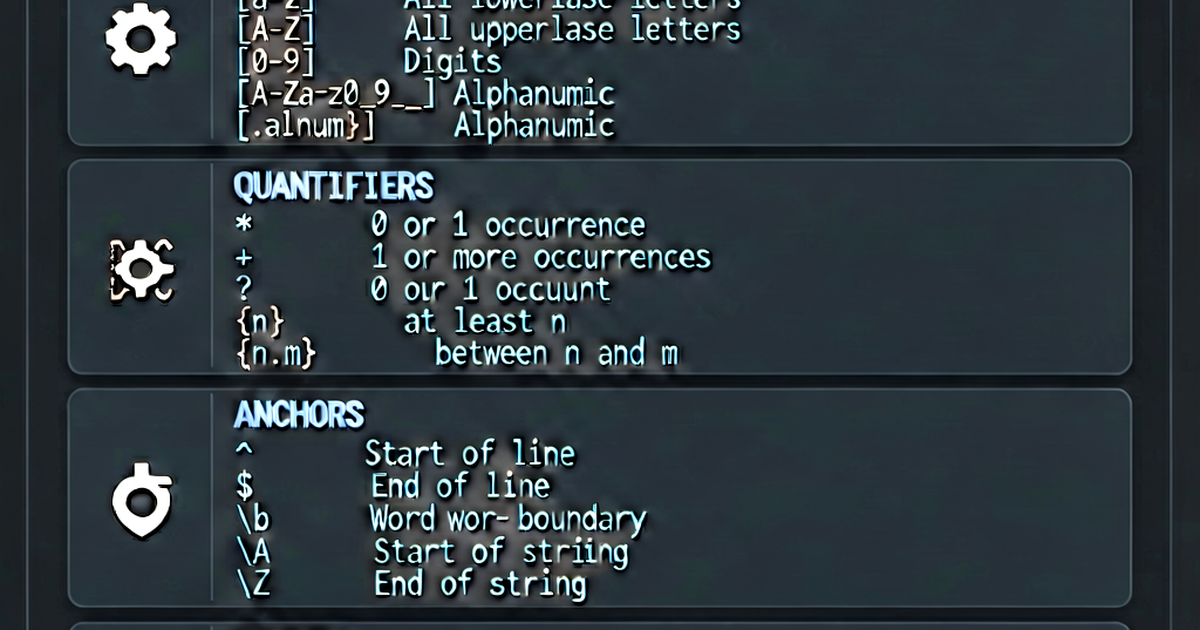

A quick reference for regular expression syntax, organized by category. Covers PCRE, Python, and JavaScript (ECMAScript) regex flavors.
Character classes
| Pattern | Matches |
|---|---|
. | Any character except newline (with s flag: any) |
\d | Digit: [0-9] |
\D | Non-digit: [^0-9] |
\w | Word character: [a-zA-Z0-9_] |
\W | Non-word character |
\s | Whitespace: space, tab, newline, form feed |
\S | Non-whitespace |
\t | Tab |
\n | Newline |
\r | Carriage return |
[abc] | Any of: a, b, c |
[^abc] | Not any of: a, b, c |
[a-z] | Range: a through z |
[a-zA-Z0-9] | Alphanumeric |
Quantifiers
| Pattern | Matches |
|---|---|
* | 0 or more (greedy) |
+ | 1 or more (greedy) |
? | 0 or 1 (optional, greedy) |
{n} | Exactly n times |
{n,} | n or more times |
{n,m} | Between n and m times |
*? | 0 or more (lazy — stops ASAP) |
+? | 1 or more (lazy) |
?? | 0 or 1 (lazy) |
{n,m}? | Between n and m (lazy) |
Greedy vs lazy:
Input:  <b>bold</b> and <i>italic</i>
Greedy: <.+>  → <b>bold</b> and <i>italic</i>  (one match)
Lazy:   <.+?> → <b>, </b>, <i>, </i>            (four matches)
Anchors and boundaries
| Pattern | Matches |
|---|---|
^ | Start of string (or line with m flag) |
$ | End of string (or line with m flag) |
\b | Word boundary |
\B | Non-word boundary |
\A | Start of string (Python/PCRE; not affected by m) |
\Z | End of string (Python/PCRE) |
\G | Position after last match (PCRE) |
Groups
| Pattern | Description |
|---|---|
(abc) | Capturing group |
(?:abc) | Non-capturing group |
(?<name>abc) | Named capturing group |
\1 | Backreference to group 1 |
\k<name> | Backreference to named group |
| `(a | b)` |
Pattern: (\w+)\s+\1
Matches: "hello hello" (repeated word via backreference)
Lookaheads and lookbehinds
| Pattern | Description |
|---|---|
(?=abc) | Positive lookahead: followed by |
(?!abc) | Negative lookahead: NOT followed by |
(?<=abc) | Positive lookbehind: preceded by |
(?<!abc) | Negative lookbehind: NOT preceded by |
# Prices (number followed by dollar sign without capturing $)
\d+(?=\$)        → matches "100" in "100$"
(?<=\$)\d+       → matches "100" in "$100"
\d+(?!\d)        → matches last digit group

# Password: at least one digit, at least one letter
^(?=.*\d)(?=.*[a-zA-Z]).{8,}$
Flags / modifiers
| Flag | Name | Effect |
|---|---|---|
i | Case-insensitive | Matches regardless of case |
g | Global (JS) | Find all matches |
m | Multiline | ^/$ match line boundaries |
s | Dotall | . matches newlines |
x | Verbose (Python/PCRE) | Allows whitespace and comments in pattern |
u | Unicode (JS) | Proper Unicode support |
Escaping special characters
These characters have special meaning and must be escaped with \ to match literally:
. * + ? ^ $ { } [ ] | ( ) \Example: to match a literal period, use \.:
Pattern: \d+\.\d+    → matches "3.14"
Pattern: \d+\d+      → matches "3" then "14" separately
Common patterns reference
# Email (simplified — full RFC 5322 is complex)
[a-zA-Z0-9._%+-]+@[a-zA-Z0-9.-]+\.[a-zA-Z]{2,}

# URL
https?://(?:www\.)?[-a-zA-Z0-9@:%._+~#=]{1,256}\.[a-zA-Z0-9()]{1,6}\b(?:[-a-zA-Z0-9()@:%_+.~#?&/=]*)

# IPv4 address
\b(?:(?:25[0-5]|2[0-4][0-9]|[01]?[0-9][0-9]?)\.){3}(?:25[0-5]|2[0-4][0-9]|[01]?[0-9][0-9]?)\b

# Date: YYYY-MM-DD
\d{4}-(0[1-9]|1[0-2])-(0[1-9]|[12]\d|3[01])

# Time: HH:MM or HH:MM:SS
\b([01]\d|2[0-3]):([0-5]\d)(?::([0-5]\d))?\b

# US phone number
\(?([0-9]{3})\)?[-. ]?([0-9]{3})[-. ]?([0-9]{4})

# Hex color (3 or 6 digits)
#([0-9a-fA-F]{3}|[0-9a-fA-F]{6})\b

# UUID
[0-9a-f]{8}-[0-9a-f]{4}-[0-9a-f]{4}-[0-9a-f]{4}-[0-9a-f]{12}

# ZIP code (US)
\b\d{5}(?:-\d{4})?\b

# Slug (URL-safe)
[a-z0-9]+(?:-[a-z0-9]+)*

# Strong password (8+ chars, digit, uppercase, lowercase, symbol)
^(?=.*[a-z])(?=.*[A-Z])(?=.*\d)(?=.*[@$!%*?&])[A-Za-z\d@$!%*?&]{8,}$

# HTML tag (basic — don't parse HTML with regex)
<([a-zA-Z][a-zA-Z0-9]*)\b[^>]*>

# Whitespace only
^\s*$

# Leading/trailing whitespace
^\s+|\s+$
Python vs JavaScript differences
| Feature | Python (re) | JavaScript |
|---|---|---|
| Flags | re.IGNORECASE, re.MULTILINE | /pattern/im |
| Global matching | re.findall() | /pattern/g |
| Named groups | (?P<name>...) | (?<name>...) |
| Lookbehind | Variable-length supported | Fixed-length only (ES2018+) |
re.fullmatch() | Yes | Simulate with ^...$ |
Test patterns at regexbuilder.io.

Related reading
-
Regex Tutorial: Learn Regular Expressions from Scratch
A beginner's regex tutorial covering literals, character classes, quantifiers, anchors, groups, and flags with examples in Python, JavaScript, and the command line.
-
Regex Groups and Capturing: How to Extract Data with Parentheses
Learn how regex capturing groups work: numbered groups, named groups, non-capturing groups, backreferences, and how to extract data in Python and JavaScript.
-
How to Use Regex: Practical Guide to Regular Expressions
Learn how to use regex for searching, extracting, replacing, and validating text. Covers Python re, JavaScript RegExp, grep, sed, and VS Code regex search.